
Antivirus - Cleaner + VPN
TarrySoftTools
4.710.55K Reviews
- Version
- 2.3.6
- Installs
- 10.00M
- Age Rating
- Everyone
Screenshots
Our Review of Antivirus - Cleaner + VPN
 Analysis by Appyee
I see this as a convenience-first security toolkit: it brings antivirus, cleanup, file management and a VPN together, so you can check several everyday phone-maintenance needs from one place. That broad approach is the main appeal of Antivirus - Cleaner + VPN, but it also calls for realistic expectations. A bundle is handy when you want a simple starting point; it is not automatically a replacement for careful app choices, Android’s built-in controls, or a dedicated privacy service.
What the all-in-one approach gets right
The app is a free Android tools app from TarrySoft, and its mix of security and housekeeping features makes sense for people who prefer one familiar dashboard to a handful of separate utilities. It has a 4.7 average from around 295,000 ratings and more than 10 million installs, so it has found a sizable audience. It is rated for Everyone, runs on Android 6.0 and later, and version 2.3.0 is the current release. The download is free, while optional in-app purchases range from $0.99 to $99.99 per item, so I’d check any purchase screen carefully before agreeing to anything.
That combination is useful when you are helping a less technical family member keep track of basic maintenance, or when you simply want a quick place to start after storage warnings appear. The practical benefit is not that a single app can solve every security problem; it is that the tools are gathered together and presented in an approachable way. I would treat the dashboard as a prompt to review the phone, then make deliberate choices about what to remove or enable.
Cleaning works best as a review, not a reflex
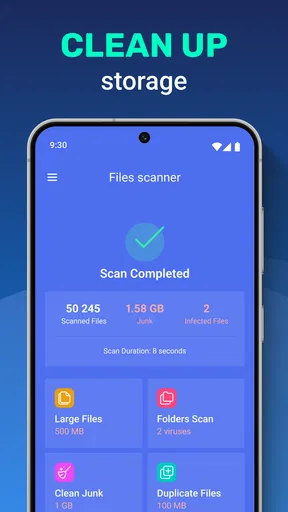
First things first, let's talk about the cleaning feature. We've all been there—our phones start acting sluggish, and we wonder if it's the perfect time to Marie Kondo our digital clutter. This app makes tidying up a breeze. You just hit that clean button, and off it goes, sweeping away cache, junk files, and those sneaky apps that eat up your memory like it's a buffet. It's like a spa day for your phone, leaving it feeling fresh and rejuvenated.
My useful tip is to look over what a cleanup proposes before letting it remove anything you might want. Cache can often be recreated, but clearing app data is a different matter and can sign you out or remove locally stored material. For a phone that is merely low on space, checking large downloads, offline media and apps you no longer use is often a more controlled first move than repeatedly pressing a cleaner button. Cleaning is most valuable as an occasional housekeeping step, not a daily ritual that needs to be run just because the app offers it.
The app's user-friendly interface is a huge plus. Everything is laid out in a way that makes sense, even if you're not exactly a tech wizard. Just open it up, and you’re greeted with clear options to scan, clean, and protect. It's as simple as pie—no need to dig through endless menus or settings.
That simplicity is a real strength for someone who feels overwhelmed by Android settings, but it can also hide the difference between a scan result and a confirmed threat. I’d use the app to guide a check, then read the item names and prompts rather than treating every warning as proof that the phone is infected. If you are comfortable managing storage and security through Android’s own settings, those built-in screens may be enough; this app is more appealing when a consolidated interface helps you actually follow through.
Antivirus protection is one layer, not a guarantee
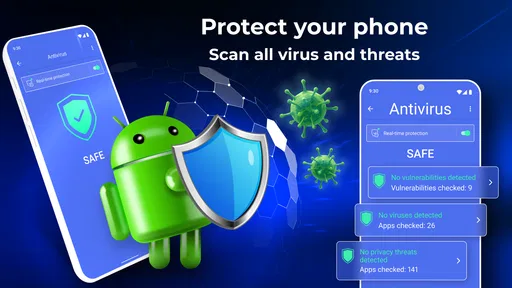
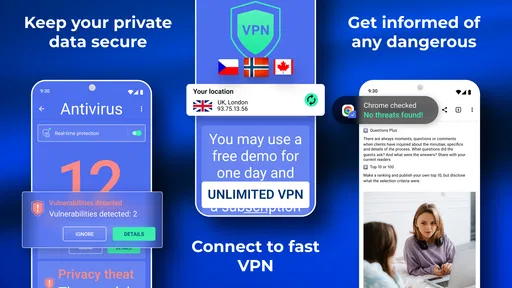
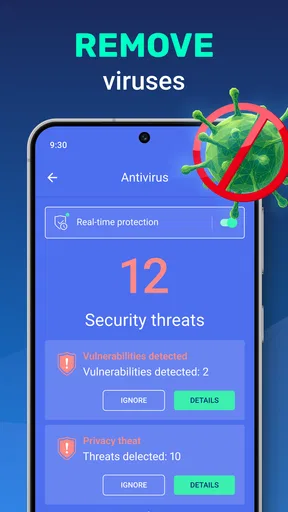
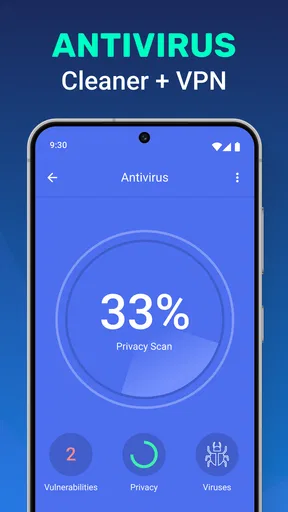
Now, onto the main event: the antivirus protection. With Antivirus - Cleaner + VPN, you can say goodbye to those pesky viruses and malware that lurk around like unwanted party crashers. The app runs real-time scans, ensuring your device is shielded against any potential threats. It's like having a digital watchdog that never sleeps.
Security tools are most useful when they support sensible habits rather than encourage risky ones. I would still install apps from sources I trust, pay attention to requested access, and avoid tapping unexpected links. A scanner can add a check, but it cannot make every download or message safe. If a scan raises an alert, pause and inspect what it identifies before removing anything; an unclear warning is a reason to investigate, not to panic.
What’s cool is the app’s ability to update its virus definitions regularly. This means it’s always on top of the latest threats. So whether you're downloading apps or surfing the web, you can do so with peace of mind, knowing that your phone has its armor on.
In day-to-day use, I would think of protection as a background layer and occasional reassurance, not a reason to stop checking the source of an app or the wording of a permission request. People who already rely on another security product should also avoid running overlapping tools without a clear reason; duplicating security utilities can add notifications and decision-making without making your habits safer. For someone who wants one place to begin a basic check, though, the bundled approach is easy to understand.
Use the VPN for a specific privacy task
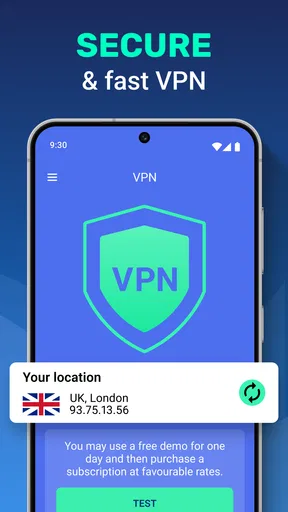
Let’s talk about the VPN. In a world where privacy is the name of the game, this feature is a game-changer. With just a tap, you can browse anonymously, keeping your online activities under wraps. Imagine having your own invisibility cloak while surfing the web—sounds neat, right?
I’d use a VPN as a tool for a particular connection, not as a blanket promise of invisibility. For example, if I’m checking email on a shared public network, turning on a VPN can be a sensible extra step. It does not make a person anonymous to every website, remove tracking from an account they are logged into, or replace careful handling of passwords and personal details. That distinction matters if privacy is the main reason you are considering this app.
The VPN service is smooth and doesn’t slow down your connection, which is a common gripe with other apps. Whether you're streaming your favorite show or just checking emails, it’s like your very own private tunnel to the internet. Plus, it’s great for accessing content that might be restricted in your region. Hello, international cat videos!
For an everyday routine, I’d switch it on when the network itself is the concern, then consider whether it is still needed for the task at hand. If your priority is choosing from specific server locations, controlling advanced connection settings, or evaluating a provider’s privacy terms in detail, a dedicated VPN may be a better fit than a multi-tool bundle. The trade-off is straightforward: the all-in-one setup is convenient, while a specialist service is generally the more natural choice for people who want VPN controls to be the centre of the experience.
File management and a realistic daily routine
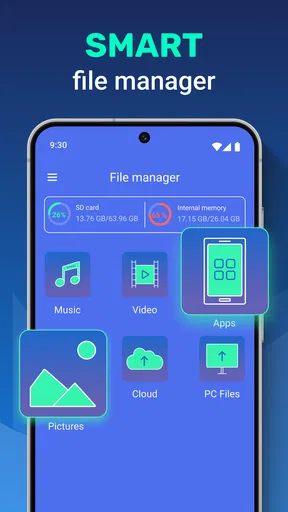
The file-manager element can make the toolkit more practical than a security scanner alone. It gives the app a role in ordinary housekeeping: checking what is on the phone, deciding what still matters, and making room before a trip or a busy week. I would use that kind of workflow deliberately. Before clearing space for photos, for instance, I’d first sort through files I recognize, keep anything important, and only then review suggested cleanup items. That order reduces the chance of deleting something useful simply because it looks disposable to a tool.
Imagine getting a low-storage warning while preparing to leave home. I’d open the app to see whether there is a clear cleanup opportunity, review the file choices, and remove only what I know I can replace. If I’m about to use a public network, I’d consider the VPN separately rather than assuming the cleanup and security scan have already handled privacy. This is where the bundle earns its keep: one app can prompt a few different checks, but each feature still needs a distinct decision.
For people who want detailed control over folders and file operations, the phone’s own file tools or a dedicated file manager may feel more direct. Likewise, someone who only needs occasional malware checks may prefer a focused security app rather than keeping several maintenance features in their routine. I see the file tools as a convenience for casual organization, not a reason to hand over every storage decision automatically.
Who will appreciate it, and who may want another tool
I think this is best suited to Android users who want a readable, all-in-one place for basic scanning, cleanup, file handling and occasional VPN use. It may be especially approachable for a relative who does not enjoy navigating separate settings screens, provided you help them review prompts and understand what each action does. The app is free to install, but the presence of optional purchases means I’d keep an eye on what is included before accepting an offer, especially if the user is not used to in-app purchase screens.
It is less compelling for someone who already has a trusted antivirus, a preferred VPN and a regular storage routine. In that situation, the extra dashboard may duplicate tools rather than simplify life. A privacy-focused user who needs fine-grained VPN choices should compare dedicated providers; a confident Android user who mainly wants to free space can start with system storage settings. Those alternatives are not necessarily better for everyone—they are simply more focused when one specific job matters most.
Final thoughts
In the grand scheme of app-dom, Antivirus - Cleaner + VPN is a solid all-rounder. It's like having a Swiss Army knife for your phone, packed with features that keep your device safe, fast, and private. The peace of mind it offers is worth its weight in gold, especially if you’re the type who likes to ensure their digital world is tidy and secure.
So, if you’re looking to give your phone that extra layer of protection without the hassle, this app might just be your new best friend. It's a small investment for some big-time security and convenience. Just download it, set it up, and let it do its magic. Your phone will thank you for it.
Verdict
Strengths of Antivirus - Cleaner + VPN
- Comprehensive security features included.
- User-friendly interface for easy navigation.
- Regular updates ensure latest threat protection.
- Integrated VPN enhances online privacy.
- Efficient cleaning tools boost device performance.
Limitations of Antivirus - Cleaner + VPN
- Some features require a premium subscription.
- VPN speed can be inconsistent at times.
- Occasional false positives in virus detection.
- Can drain battery on older devices.
- Ads in free version might be intrusive.
Other Releases by TarrySoft
View All
Pixel 4D™ Live Wallpapers
Personalization4.7

Wallpapers HD - Backgrounds 4K
Personalization4.8

Photo Collage Maker & Editor
Photography4.7

Video Compressor & Converter
Video Players & Editors4.5
Similar Picks in This Category
View All
Google LLC4.0

Gboard - the Google Keyboard
Google LLC4.5

Google Play services
Google LLC4.3

Google Play Store
Google LLC4.9

Files by Google
Google LLC4.5

SHAREit: Transfer, Share Files
Smart Media4U Technology Pte.Ltd.4.3
Frequently Asked Questions
What features does Antivirus - Cleaner + VPN offer?
Antivirus - Cleaner + VPN provides a comprehensive suite of tools to protect and optimize your device. It includes a powerful antivirus engine, a junk cleaner to free up space, and a VPN for secure browsing. These features help ensure your device runs smoothly while keeping your data safe from online threats.
How does the VPN feature enhance security?
The VPN feature in Antivirus - Cleaner + VPN encrypts your internet connection, making it difficult for third parties to track your online activities. It also allows you to bypass geographical restrictions and access content safely, ensuring your browsing experience is private and secure, especially on public Wi-Fi networks.
Is the app easy to use for beginners?
Yes, Antivirus - Cleaner + VPN is designed with user-friendliness in mind. Its intuitive interface allows even beginners to navigate through features easily. With straightforward instructions and quick access to its main functions, users can efficiently protect and optimize their devices without technical expertise.
Are there any costs associated with using the app?
Antivirus - Cleaner + VPN offers both free and premium versions. The free version provides basic functionality, while the premium subscription unlocks additional features like advanced VPN servers and priority support. Users can choose the option that best fits their security needs and budget.
Will using the app drain my device's battery?
Antivirus - Cleaner + VPN is optimized to minimize battery usage. While some background processes are necessary for real-time protection and VPN services, the app is designed to be efficient and have a minimal impact on battery life, ensuring your device remains powered throughout the day.
